
Home/Product Tour
See DEALWISE in the hands of an investment office
Three of the core screens: the institution-wide Investment Home, the portfolio deal register, and the deal and asset file.
Screen 01
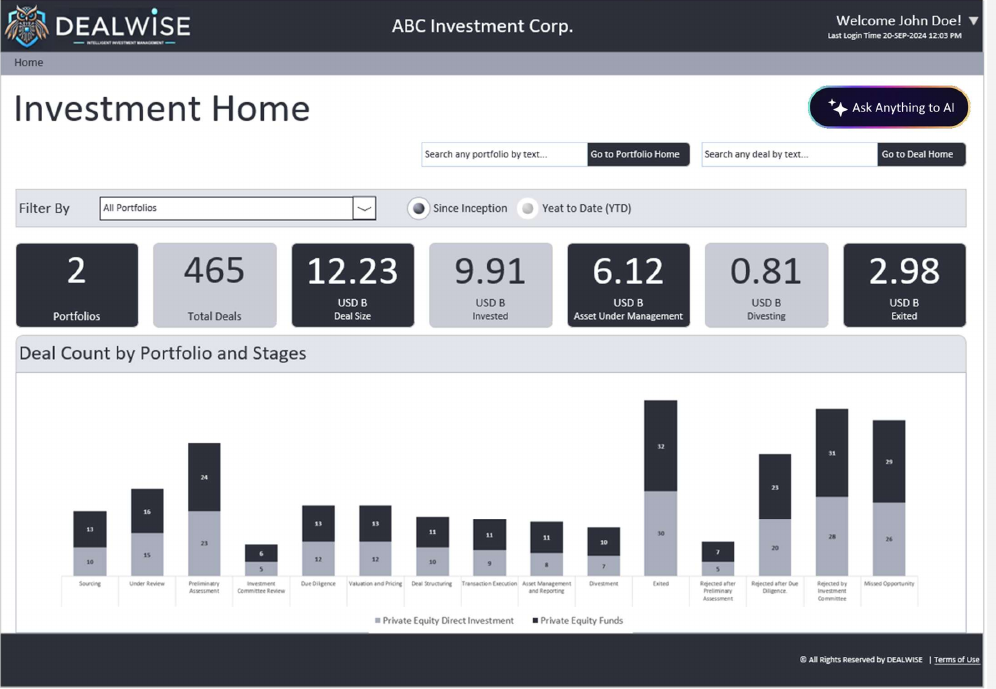
Investment Home
The institution-wide view. Portfolio count, total deals, deal size, invested capital, assets under management, divesting and exited values, filtered since inception or year to date.
- Filter by portfolio, or view all portfolios together
- Deal count by portfolio and stage, so pipeline shape is visible at a glance
- Direct search into any portfolio or any deal
- Ask Anything to AI for natural-language questions over the same data
Screen 02
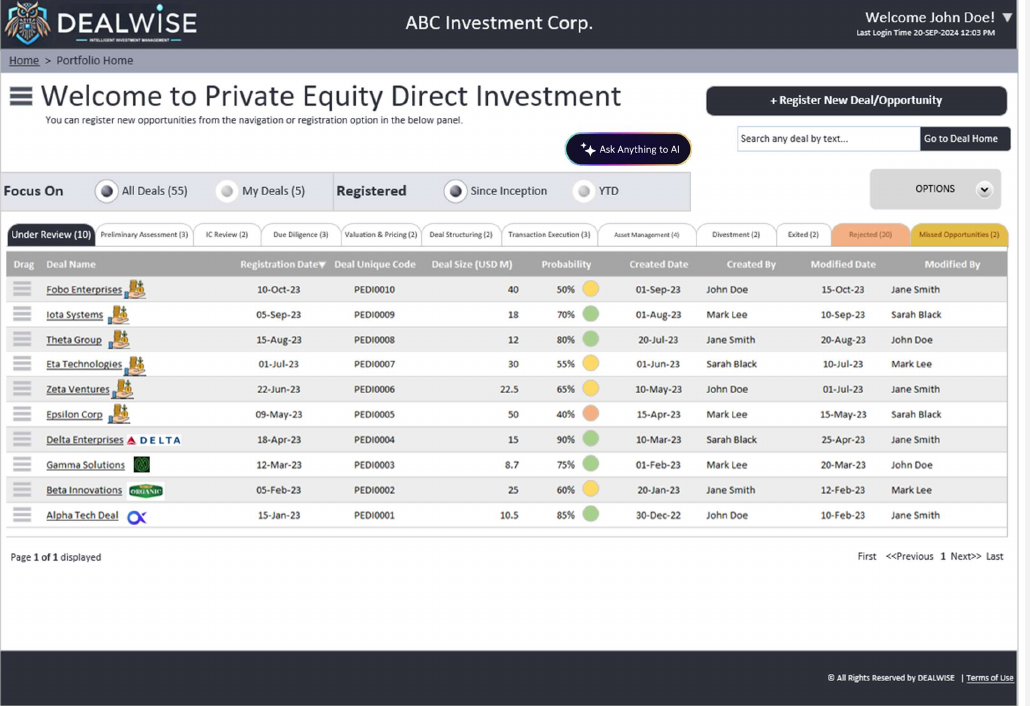
Portfolio Home
The working deal register for a single portfolio, tabbed by lifecycle stage, including Rejected and Missed Opportunities as first-class outcomes.
- Focus on all deals or only your own; since inception or year to date
- Deal name, registration date, unique code, size, probability and full audit columns
- Drag to re-order priorities; register a new opportunity from the same screen
- Search any deal by text across the portfolio
Screen 03
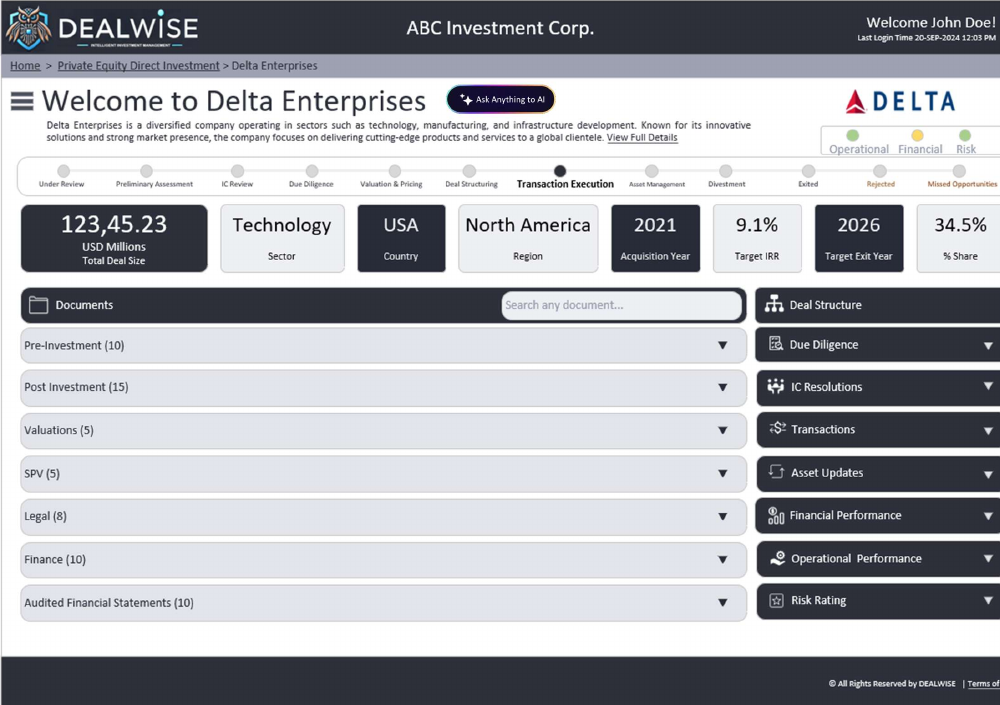
Deal & Asset Home
One file per investment, carried across its entire life. The stage tracker shows exactly where the deal stands; the panels hold everything the institution knows about it.
- Headline metrics: deal size, sector, country, region, acquisition year, target IRR, exit year and share
- Traffic-light status for operational, financial and risk position
- Document folders: pre-investment, post-investment, valuations, SPV, legal, finance, audited financials
- Linked panels: deal structure, due diligence, IC resolutions, transactions, asset updates, financial and operational performance, risk rating
More screens
Approvals, covenants, valuations, reporting and administration
The demo environment covers the whole platform, including the administration console where portfolios, masters, workflows and the authority matrix are configured.